The app, screen by screen

Fifteen real screenshots from the shipping iPhone build: building a session, running it on the full-screen clock, and reading everything it recorded. Free to run; Pro is a single one-time purchase.

Download on the App Store

Start the day

Training opens on the Workout of the Day: one session, three difficulty bands, and live time targets that scale with the band you pick. Below it, featured programs and your own saved workouts.
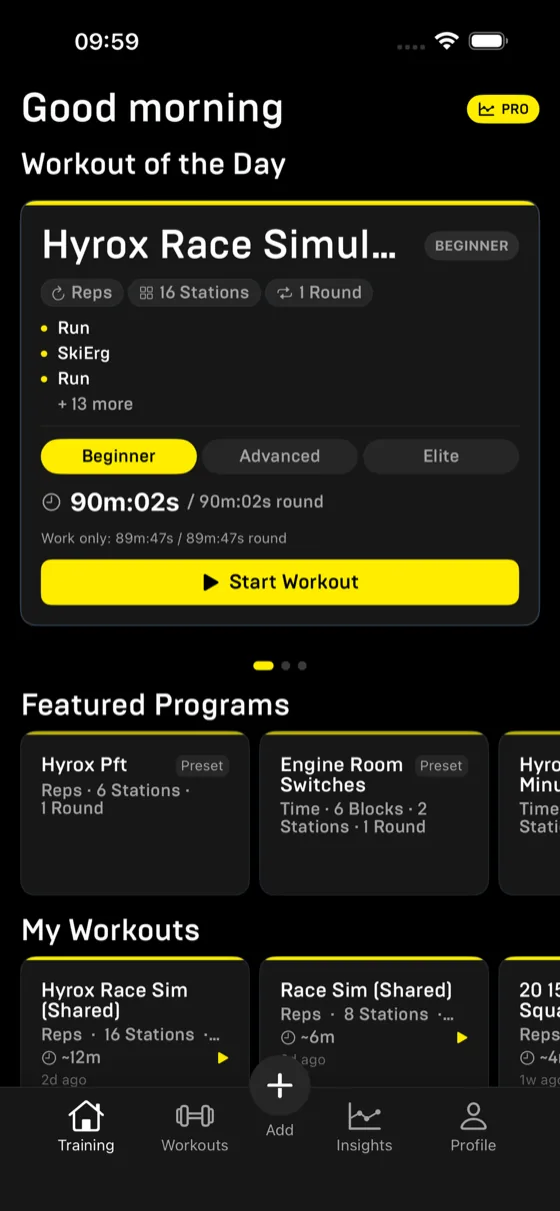
Rep The Set training home screen showing the Workout of the Day, a Hyrox race simulation with difficulty band targets and featured programs
Workout of the Day, with Beginner, Advanced and Elite targets
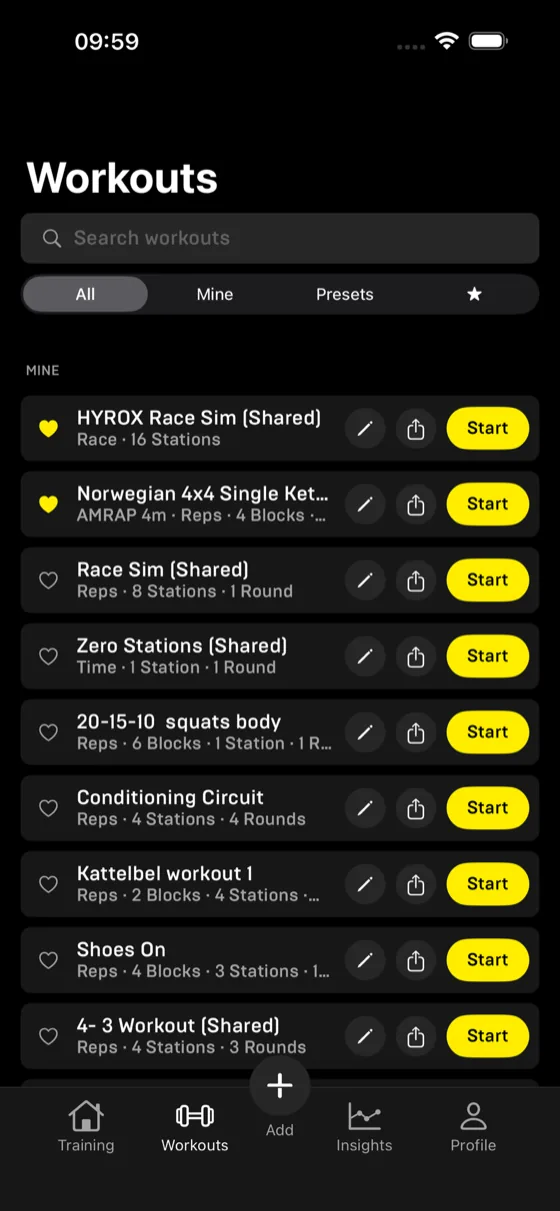
Workouts library screen listing saved and shared workouts with search, filters and one-tap start
The library: yours, presets and favourites in one list

Run the session

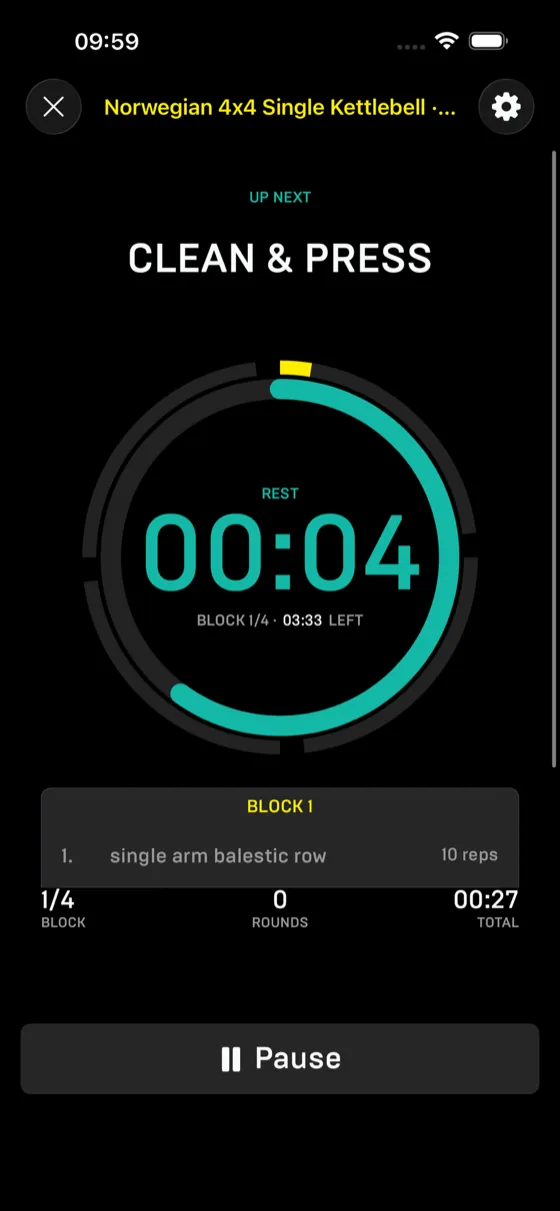
A full-screen clock shows the current station, the block you are in and the whole session at once. Rest gets its own screen with what comes next, so the phone stays on the floor.
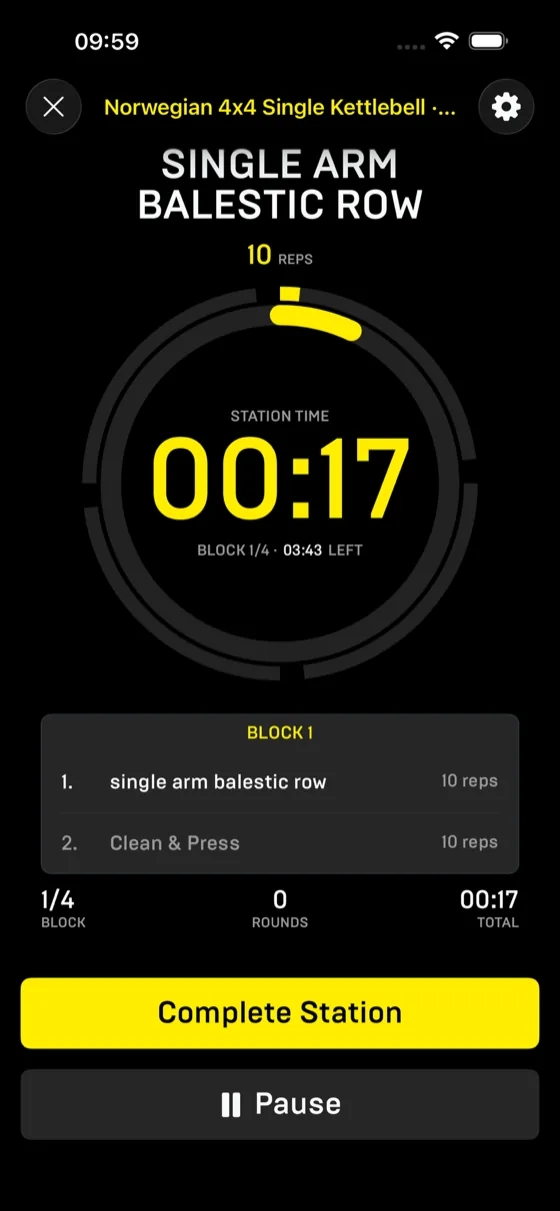
Workout run screen with a large station timer, current block exercises and complete station button
Station time, block progress and the session total
Rest screen showing a teal countdown ring and the next exercise, clean and press
Rest counts down with the next exercise named
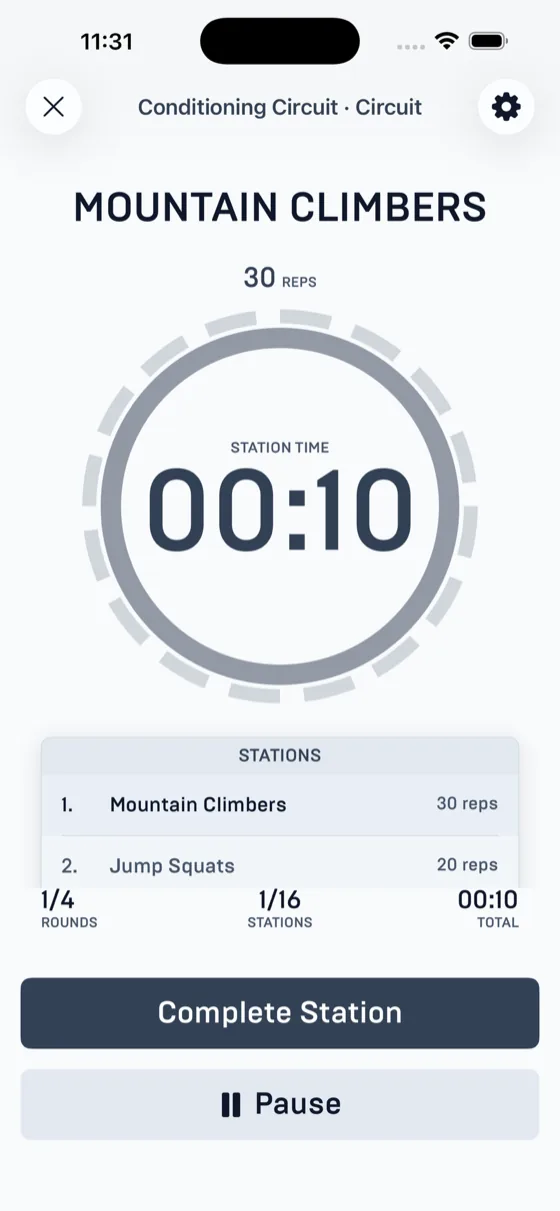
Run screen in bright theme showing mountain climbers with station time and stations list
The same clock in the bright theme
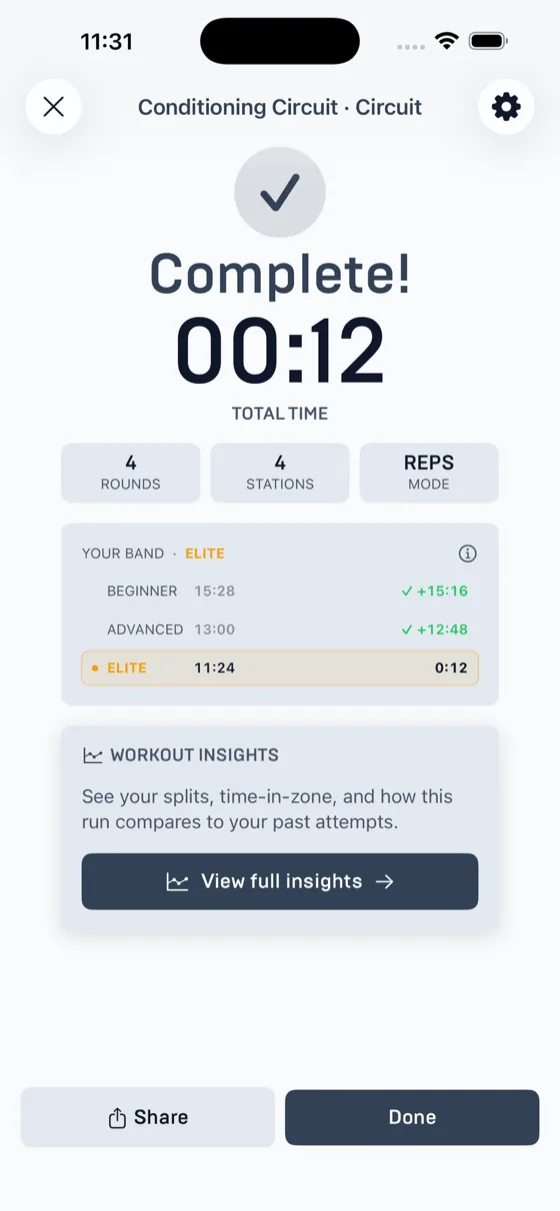
Workout complete screen showing total time and Beginner, Advanced and Elite band comparison
Finish with your time against all three bands

Build it your way

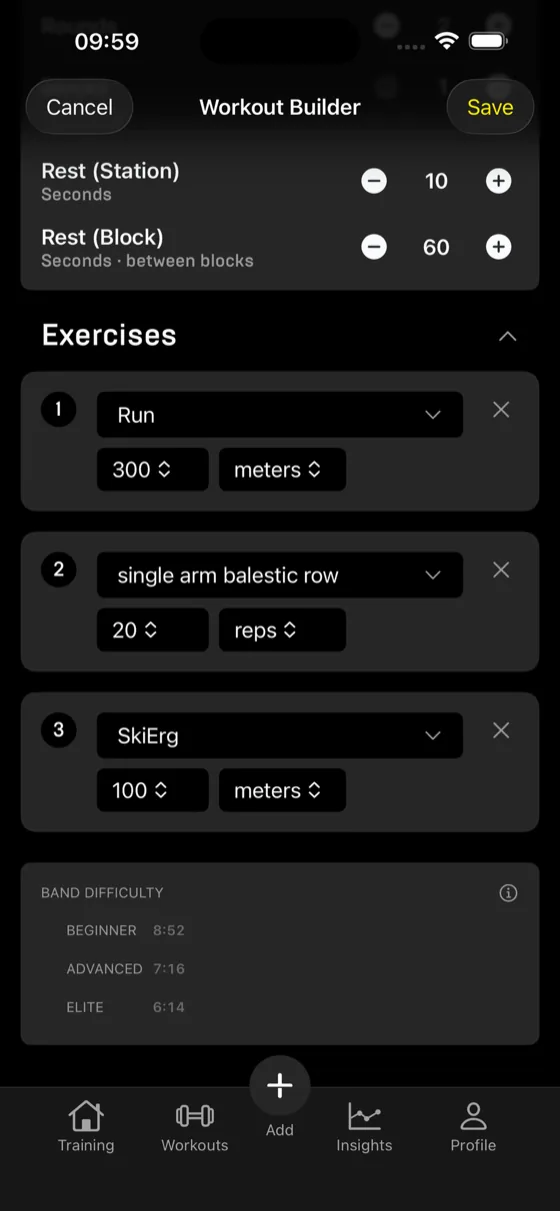
Define the workout the way you would write it on a whiteboard: stations grouped into blocks, blocks repeated in rounds, rest where it belongs. Band targets update live while you build, and any workout shares as plain text plus a link that imports it.
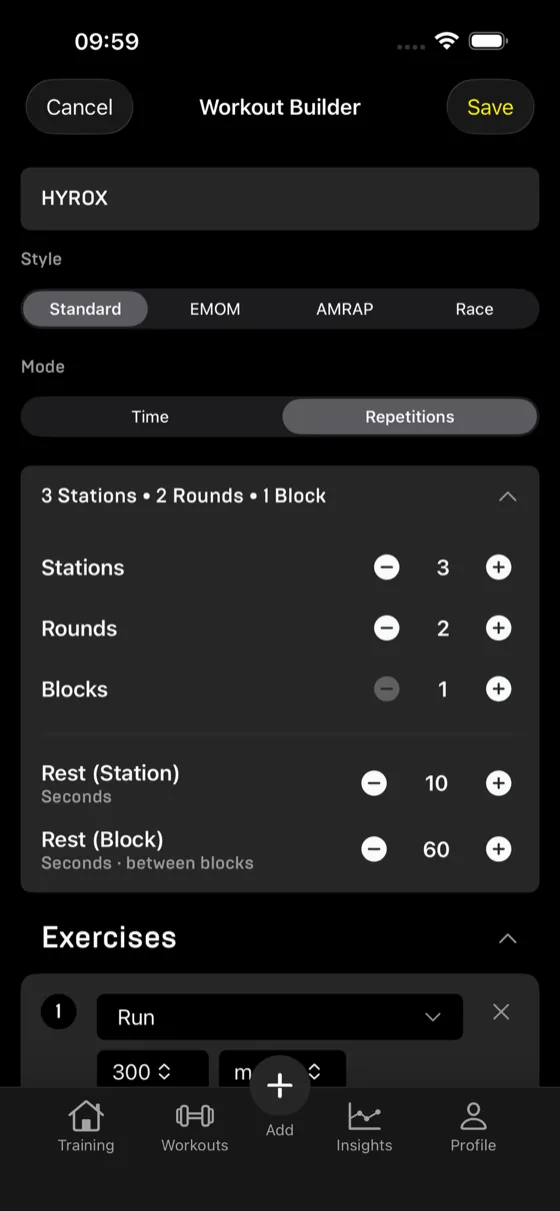
Workout builder screen with style and mode selectors, station, round and block steppers and rest settings
Stations, rounds, blocks, and rest in the right places
Workout builder exercises list with reps and meters per exercise and live Beginner, Advanced, Elite time estimates
Pick exercises; band difficulty prices the session live
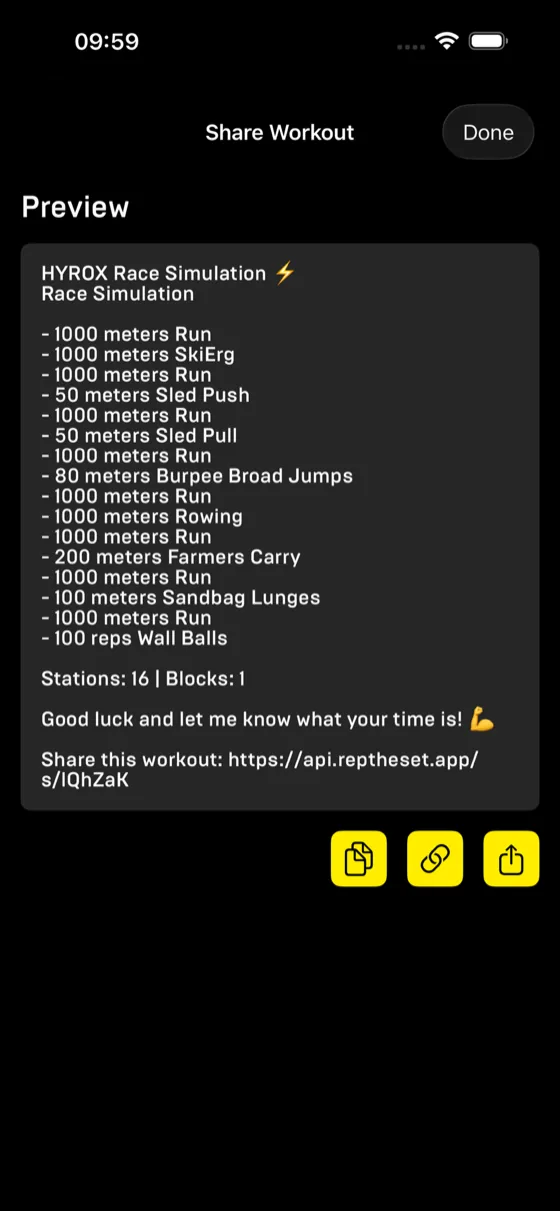
Share workout screen previewing a Hyrox race simulation as a text list with a share link
Share as readable text with an import link

Review everything

Every session becomes history: totals, per-station splits and time in each heart-rate zone. Pro adds session comparisons, and per-round heart-rate traces with drift, decoupling and fatigue per exercise.
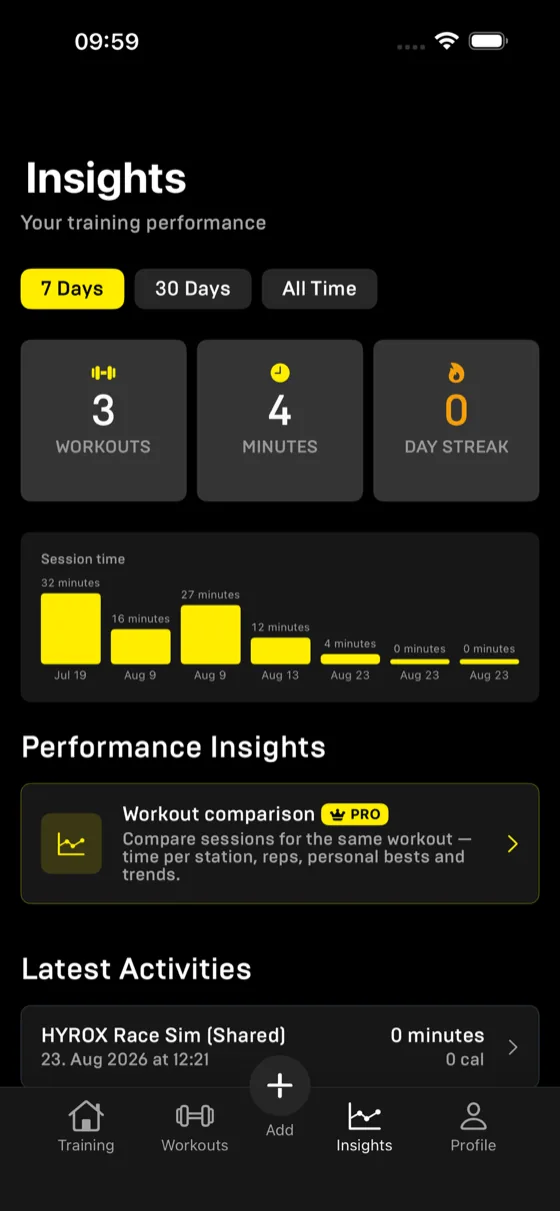
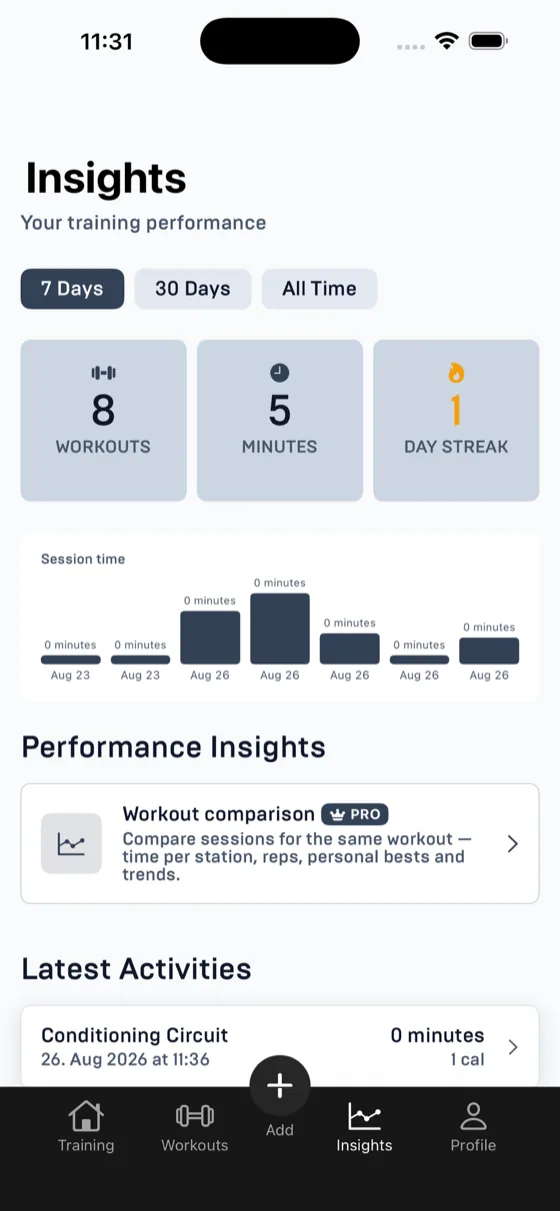
Insights screen with workout count, minutes, day streak and a session time bar chart
Workouts, minutes, streak and session time at a glance
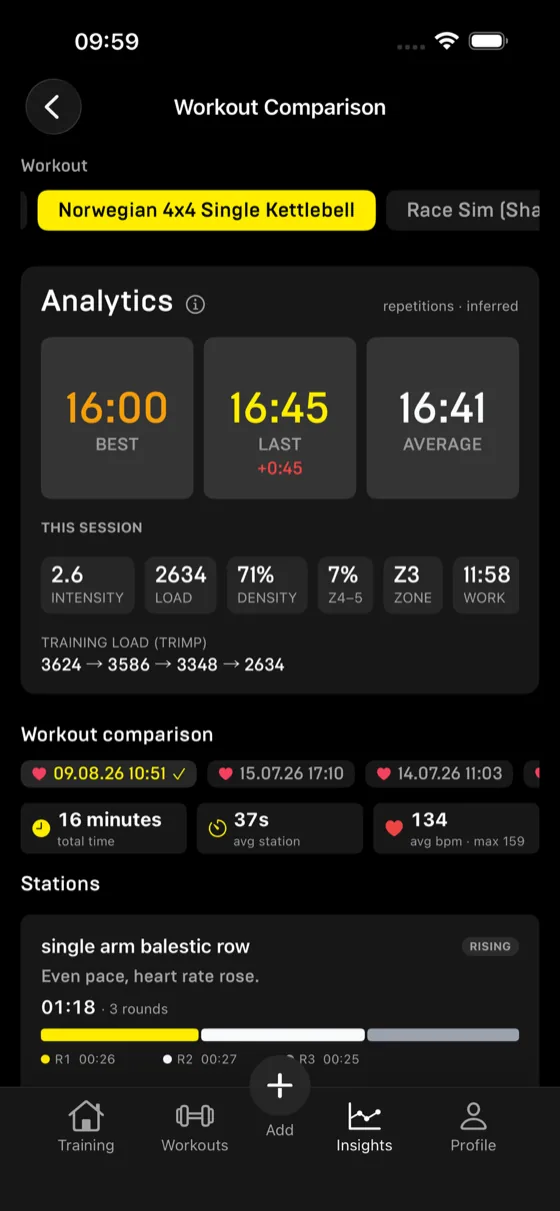
Workout comparison analytics showing best, last and average times plus training load, density and heart-rate zone stats
Best, last and average, with load, density and zones
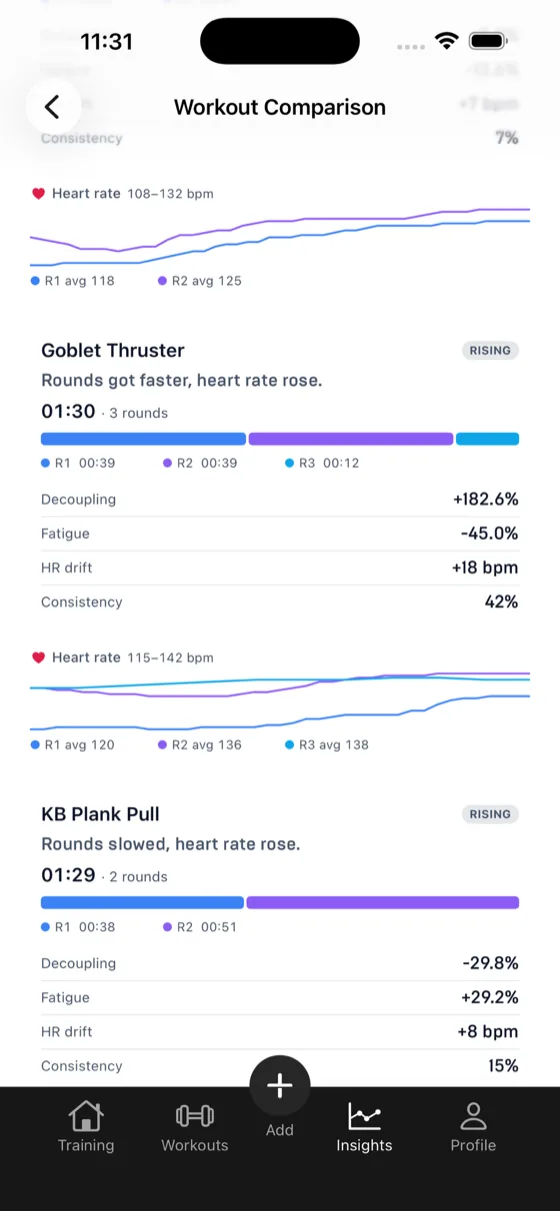
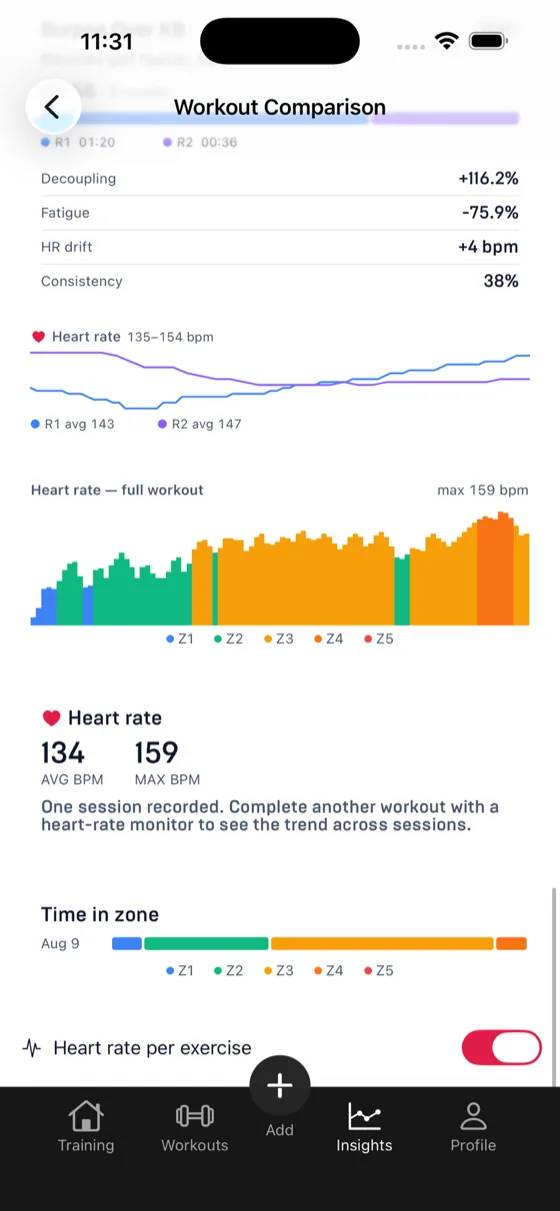
Comparison detail showing per-round split bars and heart-rate traces with decoupling, fatigue and drift per exercise
Per-round splits with heart rate over each round
Heart-rate chart of a full workout coloured by zone with average and max BPM and time in zone
The whole workout as heart-rate zones
Insights screen in bright theme with weekly stats and latest activities
The same insights, bright

Make it yours

Dark, bright or follow the system. Pair a heart-rate strap once, set your zones, and let workout reminders skip the days you already trained.
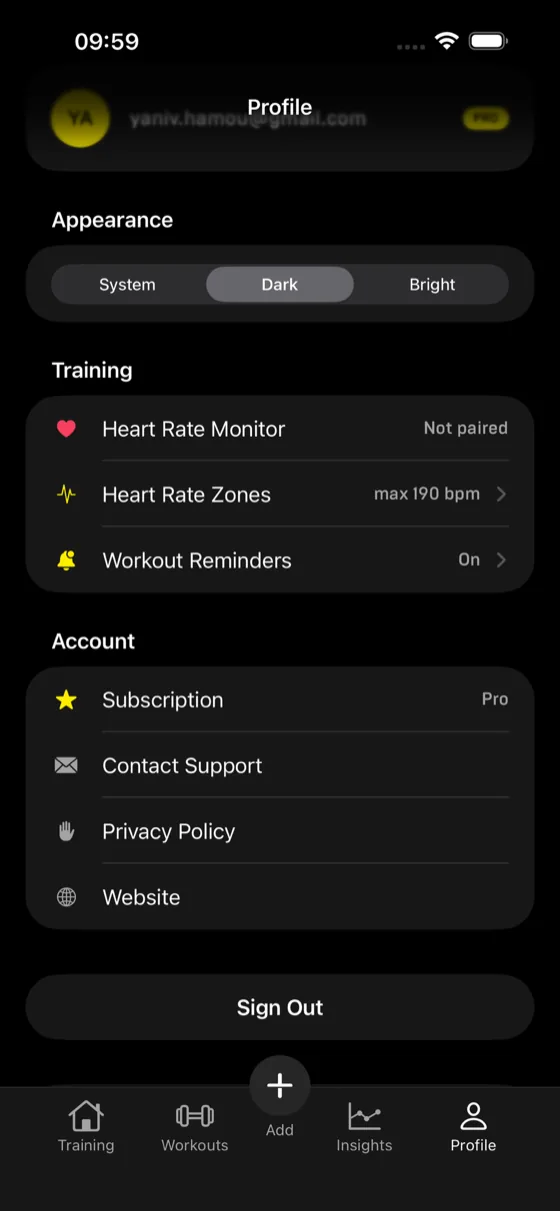
Profile screen with appearance settings, heart rate monitor pairing, zones, workout reminders and account options
Themes, heart-rate zones and reminders in one place

The difficulty bands on these screens are the same ones the band calculator prices, and the presets shown ship with the app; the preset library lists them. What Pro adds on top of the free run experience is on the Pro page.