 Rep The Set
Reading your session analytics: decoupling, drift and load
What the numbers after a workout describe, and what they do not claim.
Decoupling compares output against heart rate between your first round and your last.
If you slow down while your heart rate climbs, output per heartbeat has fallen and the number goes negative.
You were producing less for more.
If output holds while heart rate rises, that is a different and more encouraging pattern.
HR drift is the simpler cousin: how far average heart rate moved from the first round to the last.
On its own it means little, because heart rate rises in any hard session.
It becomes informative next to pace: rising heart rate with steady pace reads very differently from rising heart rate with collapsing pace.
An example of decoupling gone negative: every round is the same work, yet the bars grow while the heart-rate column climbs from zone three into zone four. Less output per heartbeat, round over round.
Training load, expressed as TRIMP, weights time by the intensity it was spent at, so a long easy session and a short brutal one become comparable numbers.
It is the metric worth tracking week to week rather than session to session.
Bar length is duration; colors are the zones the time was spent in. An hour of mostly zone two and twenty-five minutes living in zone four can carry a similar training load - TRIMP is what makes them comparable at all.
These describe what happened.
They are not instructions, and no single session says much on its own.
A slow round can be a missed grip or a water break as easily as fatigue.
The patterns worth acting on are the ones that repeat.
These metrics live in Rep The Set Pro, computed from sessions the free app already records.
The app shows every one of these on the session screen, and explains each one behind the information icon.
Same list, same words, so nothing here is a translation of something you will meet differently in the app.
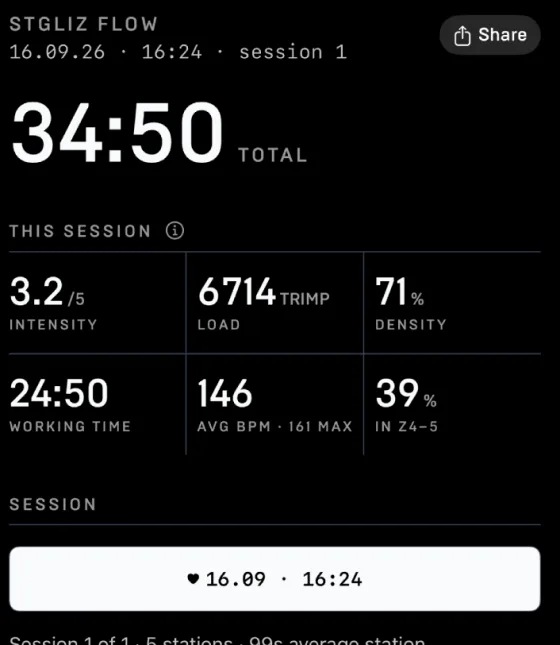
Session
The whole workout at a glance.
Per exercise
Shown on each station card.